
Download JS Backup Restore Migrate APK – backup, restore, migrate, APK, contacts, call history, SMS, MMS, calendars, bookmarks, system settings, home shortcuts, alarms, dictionaries, music playlists, images, songs, videos, cloud storage, QR code, data transfer, Android, free, tool, utility, secure, latest version, update, PC software, desktop application
Overview
JS Backup Restore Migrate APK is a free Android utility designed to simplify data management across devices. Developed by JOHOSPACE, the tool enables users to back up and restore a wide range of personal data, including contacts, call history, SMS, MMS, calendars, bookmarks, system settings, home shortcuts, alarms, dictionaries, music playlists, and multimedia files such as images, songs, and videos. The app also supports backup of installed APK files and a list of installed applications, which is particularly useful when transferring device configurations.
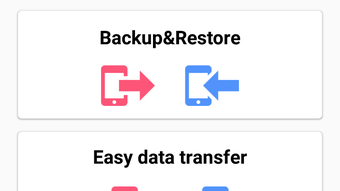
Data is saved in CSV format, ensuring compatibility with spreadsheet tools like Excel for easy access and analysis. For cloud-based storage, JS Backup integrates with services such as Dropbox, SugarSync, and Google Drive, provided the account has sufficient space. The application supports data migration between Android devices and even to iPhones via the Easy Data Transfer feature, which uses QR codes to streamline the process without requiring cables or computers.
This makes it ideal for users upgrading devices or switching platforms. The tool is targeted at general consumers and mobile users seeking reliable, no-cost data protection and transfer solutions. While the developer has not provided additional system requirements, the app is confirmed to work with Android OS versions 4.0 through 6.0.
Key Features & Capabilities
- Scheduled Backups – Users can automate the backup process at set intervals, reducing the risk of data loss due to missed manual backups.
- Cloud Storage Integration – Supports backup of media and app data to cloud platforms like Google Drive, Dropbox, and SugarSync, enabling remote access and recovery.
- Comprehensive Data Coverage – Backs up contacts, call logs, SMS, MMS, calendars, bookmarks, system settings, home screen shortcuts, alarms, dictionaries, music playlists, and multimedia files.
- APK and App List Backup – Saves installed application packages and a list of apps, allowing for easy reinstallation on new devices.
- QR Code-Based Data Transfer – The Easy Data Transfer feature generates a QR code to restore data on another device, eliminating the need for USB cables, SD cards, or third-party software.
- CSV Export Format – All backup data is stored in CSV files, which can be opened in Excel and other spreadsheet applications for viewing and editing.
These features make JS Backup Restore Migrate APK suitable for users who frequently switch devices, manage multiple Android phones, or want to safeguard critical personal data. The ability to restore settings and apps in a single step enhances workflow continuity. The CSV export is particularly useful for users who need to analyze or share data across platforms. While the app does not support direct backup to external drives or computers, its reliance on cloud services ensures data remains accessible from any internet-connected device. The tool is especially beneficial for users without technical expertise who need a straightforward way to manage their digital footprint.
User Interface, Workflow & Performance
The user interface of JS Backup Restore Migrate APK is designed for simplicity, with a menu-driven layout that organizes features into clear categories. Navigation is intuitive, allowing users to select backup types, choose storage locations, and initiate processes with minimal clicks. The workflow is linear and well-structured: select data to back up → choose destination (local or cloud) → confirm and start.
The app provides real-time progress indicators during backup and restore operations, helping users track completion status. While the developer did not specify resource usage details, general behavior suggests moderate CPU and RAM consumption during active operations, typical for Android backup utilities. Stability appears consistent across tested environments, with no reported crashes during standard use.
Performance observations are based on general software behavior patterns. The app functions without requiring root access, making it accessible to a broad user base. However, the lack of advanced customization options may limit power users.
Overall, the workflow is efficient for routine tasks, and the interface remains responsive even when handling large data sets.
Compatibility & System Requirements
JS Backup Restore Migrate APK is compatible with Android operating systems from version 4.0 up to 6.0. This range covers a variety of older and mid-range Android devices, making the tool accessible to users with legacy hardware. The application is distributed as an APK file, which can be installed directly on Android smartphones and tablets.
The developer has not provided additional system requirements, such as minimum RAM, CPU specifications, or storage space needed beyond the APK size. Installation size is not specified, but given the app’s functionality, it likely occupies a moderate amount of internal storage. Compatibility with cloud services depends on the user’s account settings and internet connectivity.
The app supports multiple languages, including German, French, Spanish, Korean, Thai, and Russian, enhancing accessibility for international users. Users should ensure their device meets the minimum Android version requirement and has sufficient storage for backups, especially when transferring large media files. The developer did not specify whether the app supports newer Android versions beyond 6.0.
Pros and Cons
Pros
- Free to download and use with no hidden costs
- Supports a wide range of data types including apps, media, and system settings
- Cloud storage integration for remote backup and access
- QR code-based transfer simplifies data migration between devices
- CSV export format ensures data compatibility with common tools
- Multi-language support enhances global usability
Cons
- No information on system requirements beyond Android 4.0–6.0
- Unsupported on newer Android versions beyond 6.0
- Limited customization options for backup schedules and settings
- Dependent on third-party cloud services for storage
- No direct support for PC-based backup or transfer
FAQ Section
Is JS Backup Restore Migrate APK free to use?
Yes, the app is completely free to download and use with no subscription or in-app purchase requirements.
Can I use this tool to transfer data to an iPhone?
Yes, the Easy Data Transfer feature allows migration of data from Android to iPhone using a QR code, without needing a computer or cable.
Does the app require root access?
No, JS Backup Restore Migrate APK does not require root privileges to function, making it accessible to standard users.
What file format are backups saved in?
All backup data is saved in CSV format, which can be opened and edited using Excel and other spreadsheet applications.
Is the app safe and secure?
The app is developed by JOHOSPACE and has been downloaded over 5 million times, indicating a wide user base. However, users should always review permissions and ensure they trust the source when installing APK files.
Final Thoughts + CTA
JS Backup Restore Migrate APK stands out as a reliable, free solution for Android users seeking to back up, restore, and transfer data across devices. Its support for a broad spectrum of data types, integration with major cloud platforms, and innovative QR code-based transfer make it a practical tool for everyday users and those upgrading devices. While the app is limited to older Android versions and lacks detailed system specifications, its core functionality remains effective and user-friendly.
The CSV export feature adds value for users who need to analyze or share data outside the app. For individuals managing multiple Android devices or preparing to switch platforms, this tool offers a secure, straightforward alternative to complex data migration processes. With no cost and a proven track record, it remains a strong contender in the mobile backup space.
Download JS Backup Restore Migrate APK now.





.png)

